Business Diner Tools:

for corporate partners
Enroll Your Employees in myDinova Rewards
A faster path to a bigger rebate for your company.
Instead of waiting for each employee to sign up for myDinova Rewards on their own, you can automatically enroll your entire team. Employees enrolled in myDinova put 5x more of their dining dollars toward in-network restaurants, which means more of your company’s dining spend converts directly into rebate dollars. The more cardholders you register, the bigger that rebate gets.
If you’re already a Dinova partner, auto enrollment is the fastest way to boost participation without running a manual sign-up campaign. Here’s exactly how to set it up.
Auto Enrollment Instructions
1. Log in to your myDinova account at apps.dinova.com/admin. If you haven’t registered for rewards yet, you’ll need to do that first through the myDinova app – once you have, let your Dinova contact know and they will grant you admin rights. Please note, do not set up multi-factor authentication at this time.
2. Once you’re logged in, select “Admin” from the upper right-hand navigation, then choose “Auto Enroll” from the drop down.

3. Follow the on-screen instructions to upload the template. You can include card numbers, or just create shell profiles with name and emails – either way, your company name and corporate card will autofill.
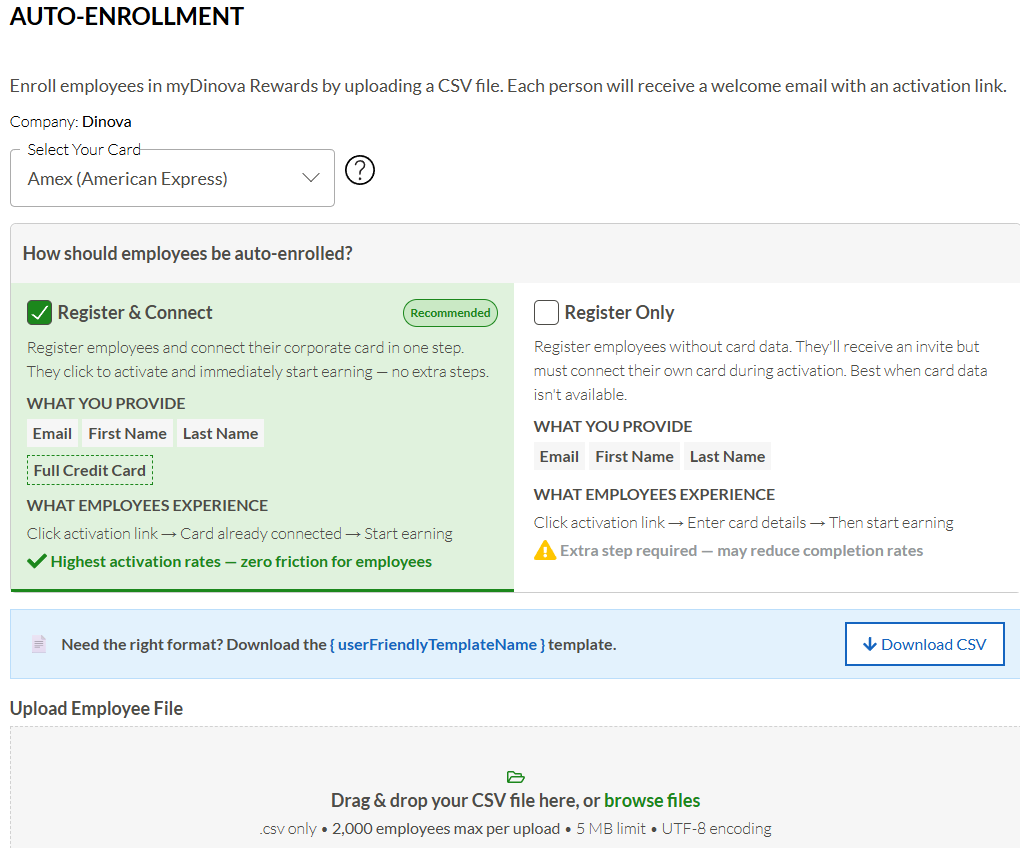
4. Before you upload, send your cardholders a heads-up (template below). They’ll receive an activation email from support@dinovamarketplace.com that displays as “Dinova” – this is not spam. It’s also worth recommending they skip multi-factor authentication when they set up their account, and make sure to inform them they need to sign up for their account on the myDinova app, which can be downloaded from Apple or Android app stores by searching “Dinova”.
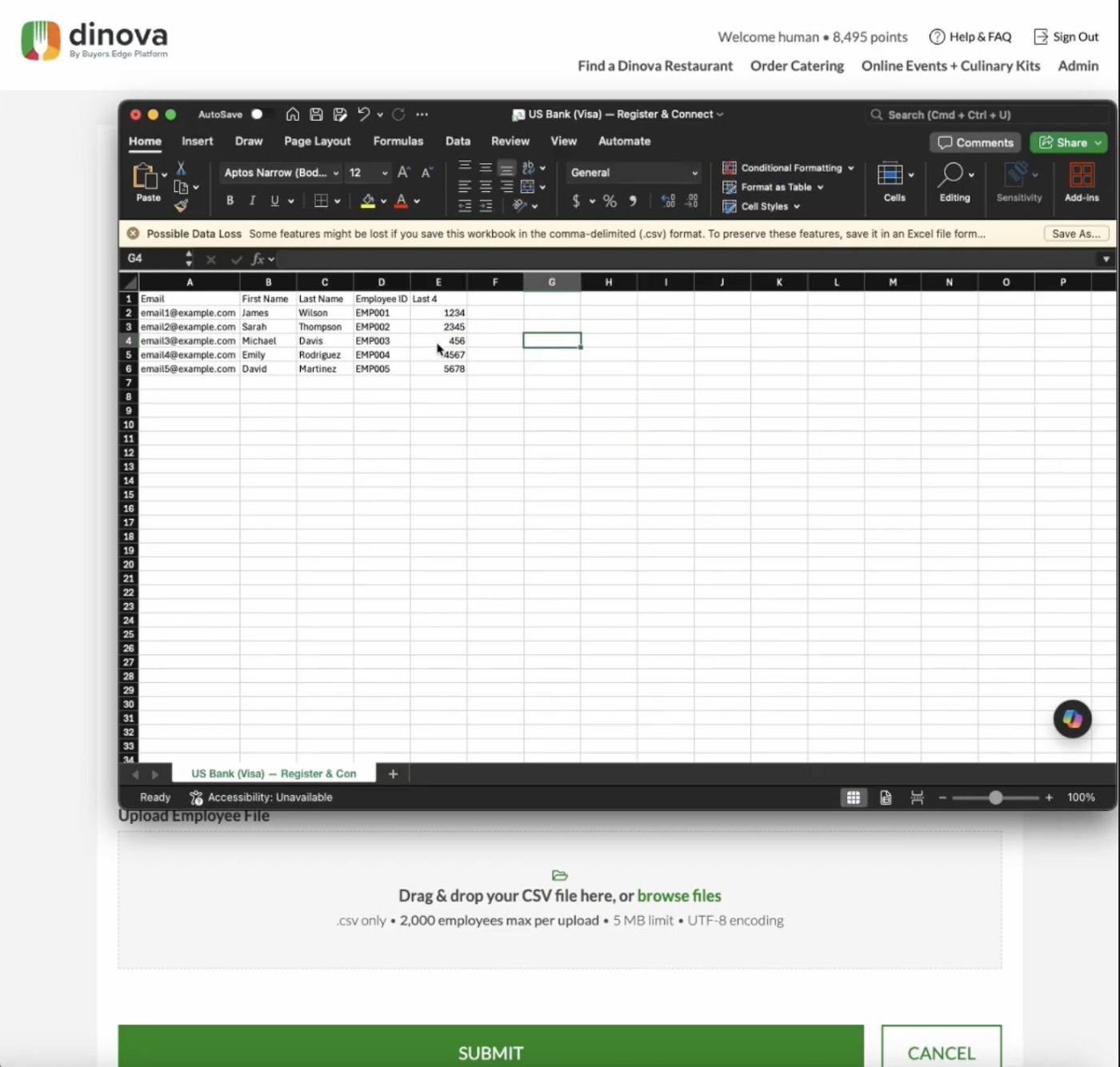
5. Start small: upload a handful of friendly names and emails first, so you can follow up directly and confirm everything works before rolling out to everyone. When you upload the file, make sure you do not change the file name and ensure that you save the file as a CSV file and not an Excel workbook.
6. Uploads typically process and send within an hour. Follow up with your test group to confirm they received the email and connected their corporate cards, if needed.
7. myDinova support sends the activation email the same day you submit the upload – a four-email series over the following week that prompts activation.
Notify Your Cardholders
Use the template below to give employees a heads-up before the activation emails go out.
Click here to reveal template
Subject Line: Earn personal rewards on business dining with Dinova
You’ve been selected to participate in a company program that turns your business dining expenses into personal rewards via your corporate credit card.
We’re excited to introduce our new business dining program, powered by Dinova! With access to over 24,000 restaurants across the US and Canada — including national favorites and local gems — you’ll have plenty of options whether you’re traveling for business, hosting an event, or catering for your team.
How it works
- Dine at any Dinova-affiliated restaurant. Download the app to find these restaurant partners at your fingertips.
- Pay the bill using your corporate credit card.
What do you need to do?
Click the activation link in the welcome email you’ll receive from Dinova. Create your myDinova rewards account using your company email address. You’ll earn 500 points ($5) for signing up! Please let [your name] know once that step is complete.